How to Redeem EMOTIA Escape Codes
Exact Settings path, common errors, and when to retry after a patch.
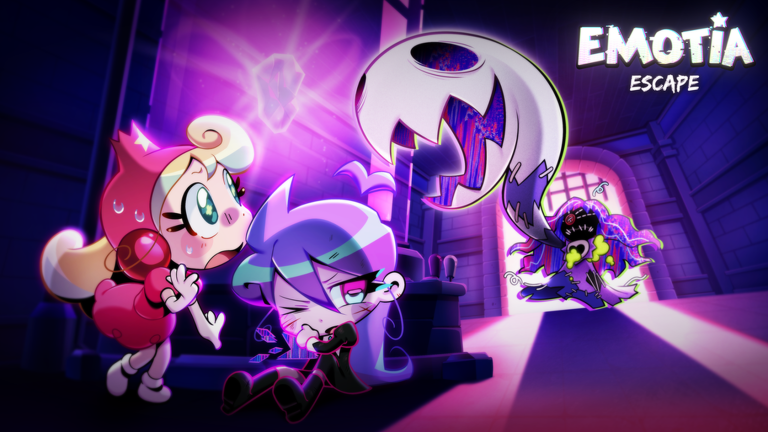
Redeeming an EMOTIA Escape code takes less than a minute once you know where the developers hid the field. This guide walks through the live BETA menu path, explains the most common failure messages, and ties redemption into the rest of your progression plan so free Emote actually matters.
Before you redeem
Join the official experience from Roblox and wait until the client fully loads into EMOTIA Escape. Codes are claimed inside this game’s own Settings UI, not from the Roblox website gift page. If you are mid-floor, finish or safely return to a menu state where the cogwheel is visible—trying to juggle a chase and a text field is how parties wipe for no reason.
Also open the Codes Hub in another tab so you only paste strings we have verified. Random comment codes for unrelated horror games will never work here.
Step-by-step redeem path
- Launch EMOTIA Escape on Roblox (solo or with your party).
- Look for the cogwheel / Settings control in the upper-right portion of the HUD.
- Open Settings and locate the Codes section. On current builds it sits near or just below Audio options.
- Click into the Enter Code text field.
- Paste or type the code exactly as published—capitalization and spacing matter.
- Press Redeem and wait for a success or error toast.
- Confirm that Emote, items, or cosmetics updated before closing the menu.
If redemption succeeds during a lobby wait, tell teammates so everyone claims the same drop before you descend. Shared economy nights go smoother when the whole squad starts with the same cushion.
Troubleshooting failed codes
Nothing happens when you press Redeem. Close and reopen Settings, make sure the field is not still focused with a trailing space, and try again after a full rejoin. BETA UI hiccups happen after hotfixes.
Invalid or expired message. The string is wrong, outdated, or never existed for this experience. Recheck the Codes Hub instead of spam-retrying. Expired codes belong in community history, not your clipboard.
You already owned the reward. Some promotions are once per account. If Emote did not rise, check whether a cosmetic unlocked instead, then move on.
You are on the wrong experience. Confirm the title screen says EMOTIA Escape and that you joined the EMOTIA x VERSEWORK listing, not a copycat place with a similar emotion theme.
Mobile versus desktop notes
On mobile, Settings icons can sit under Roblox’s own touch controls. Rotate to landscape if the cog is hard to tap, and paste from your notes app rather than typing long strings with fat-finger errors. On desktop, Ctrl+V (or Cmd+V) from the hub page is safer than retyping.
After a successful redeem
Do not dump every Emote into the first shiny cosmetic. Read Code rewards and Emote value and cross-check the best upgrades page. Early survivability upgrades usually beat vanity when Corrupted Emotians start taking the prison seriously.
New players should also skim Getting Started and How to play so the currency buff supports real skill growth. Veterans can jump to the upgrade tier list and plan a shopping list before the next floor.
Party etiquette around codes
If one person finds a working code in Discord or on the Roblox wall, paste it in voice or party chat immediately. Give quieter players thirty seconds to redeem before you start a difficult descent. The party checklist tool includes a codes checkbox for exactly this reason.
Staying current
Codes tend to arrive with content drops. After a BETA patch, visit the Updates hub, then return here if the redeem steps move in the Settings layout. Menu labels can shift during early access without changing the underlying idea: Settings → Codes → Redeem.
When the Active list is empty, you do not need a complicated ritual—just know the path so you are ready the minute a real string posts.
Frequently Asked Questions
Quick answers for Emotion Prison runs and Roblox BETA questions.
Where is the code box in EMOTIA Escape?
Open the Settings cog near the upper-right HUD, then look for the Codes field close to Audio settings.
Do I redeem codes on the Roblox website?
No. EMOTIA Escape codes are redeemed inside the experience Settings menu, not on Roblox.com gift cards pages.
Why does my code say invalid?
It may be mistyped, expired, already redeemed, or never published for this game. Verify against the Codes Hub first.
Can my whole party use one code?
Usually each Roblox account must redeem separately. Share the string in chat and wait for everyone before descending.
Should I redeem mid-chase?
No. Stabilize in lobby or a safe menu moment. Chases punish divided attention more than delayed Emote.